



💡 Motivation and the Educational Challenge
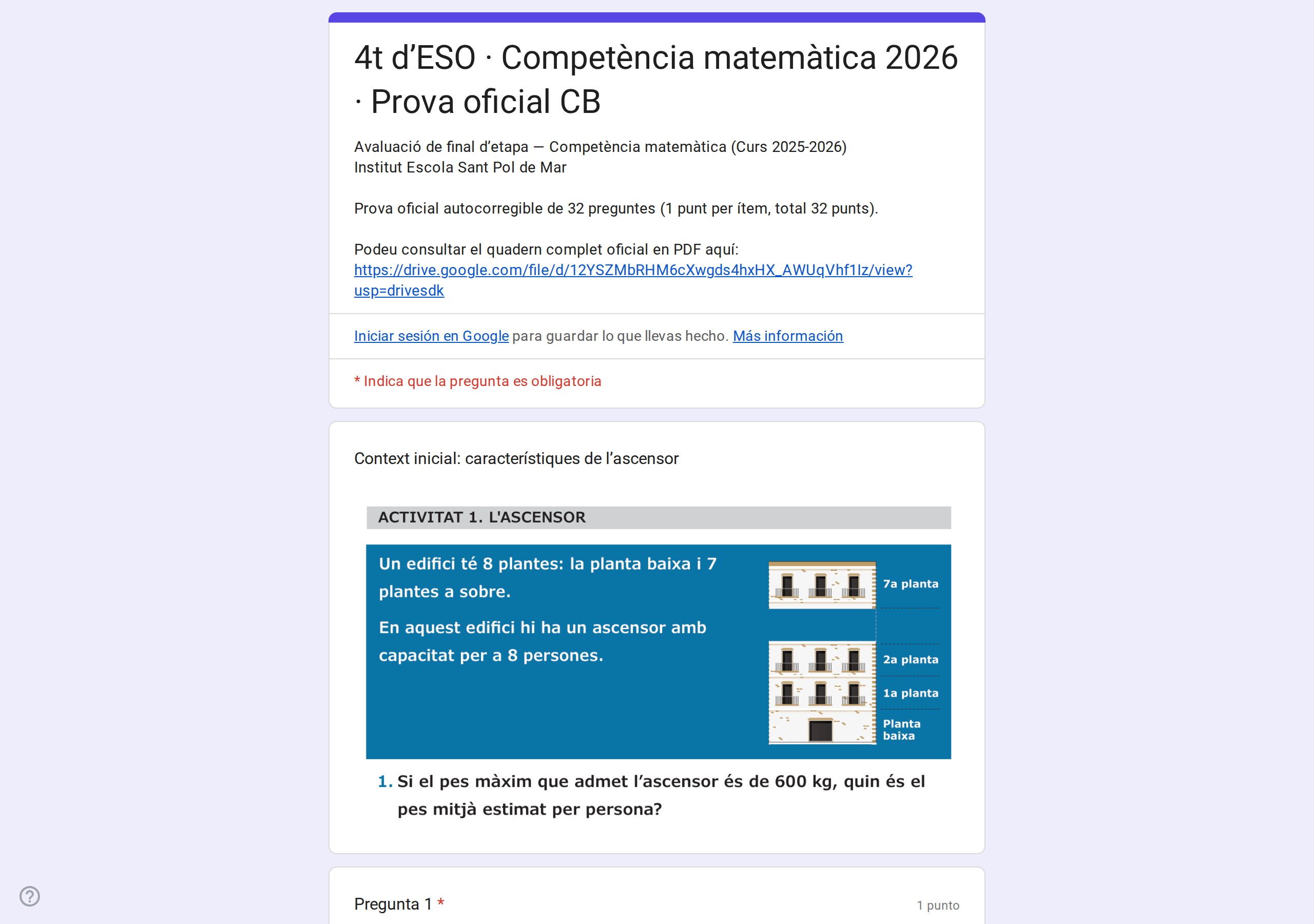
Every school year, the Catalan Department of Education publishes official standardized assessments (Diagnostic Assessments for 8th grade / 2nd ESO, and Basic Competencies for 10th grade / 4th ESO) in PDF format. These are comprehensive 16–20 page booklets featuring scientific diagrams, charts, statistical data tables, and multiple-choice or open-ended questions.
Transforming these tests into Google Forms so students can take them interactively with instant self-assessment presents major hurdles:
- The manual process involves taking dozens of screenshots, uploading them one by one, and typing answer keys: easily taking well over an hour per exam.
- Traditional rectangular crops leave massive empty white margins, shrinking the text on mobile phones or tablets.
- Cross-contamination is common: introductory context snippets often accidentally include parts of subsequent questions.
This project was built as an automated, strictly audited, computer-vision-powered engineering pipeline requiring zero manual intervention.
🛠️ Pipeline Architecture
The workflow consists of four decoupled layers:
🔬 Solved Engineering Challenges
1. Invariant Geometry Rule (x0 <= 88.0 pt)
Through typographic analysis of official Catalan government PDFs, we identified that the question numbering always starts at x0 <= 88.0 pt from the left edge. Any other table numbering or multiple-choice labels (a, b, c, d) start at x >= 95.0 pt. This mathematical rule isolates question prompts with zero false positives.
2. Tight Autocropping with OpenCV (autocrop_tight)
Using grayscale thresholding (gray < 248), the system calculates the minimal bounding box of actual printed ink and applies an exact 6-pixel aesthetic margin. This prevents whitespace bloat and renders razor-sharp text on any screen size:
def autocrop_tight(img, pad=6, white_thresh=248):
    gray = cv2.cvtColor(img, cv2.COLOR_BGR2GRAY) if len(img.shape) == 3 else img
    non_white = np.where(gray < white_thresh)
    if len(non_white[0]) == 0:
        return img
    y0, y1 = int(np.min(non_white[0])), int(np.max(non_white[0]))
    x0, x1 = int(np.min(non_white[1])), int(np.max(non_white[1]))
    h, w = gray.shape
    return img[max(0, y0-pad):min(h, y1+pad+1), max(0, x0-pad):min(w, x1+pad+1)]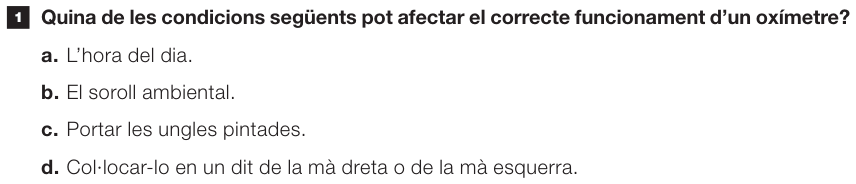
3. Cross-Contamination Auditing with Tesseract OCR
To prevent context passages from leaking the subsequent question prompts, each image is analyzed via Tesseract OCR (lang="cat"). If regex patterns matching question headers (r"^\s*([0-9]{1,2})\.\s+([A-ZÀ-Ú][a-zà-ú]+)") are found, the crop is rejected.
4. Natural Weighting for Forms API Integer Constraints
The Google Forms API v1 rejects non-integer point values such as 0.25 (INVALID_ARGUMENT). For multi-row True/False or Yes/No tables, each statement is modeled as an independent 1-point question, preserving proportional curriculum weight while adhering to API specifications.
📊 Production Bank of 18 Official Forms
The pipeline generated a comprehensive, publicly accessible suite of 18 complete official assessments (2021–2026):
- 10th Grade (4t d’ESO - Competències Bàsiques):
- Mathematics: 2026, 2025, 2024, 2023, 2022, 2021.
- Science & Technology: 2026, 2025, 2024, 2023, 2022, 2021.
- 8th Grade (2n d’ESO - Avaluacions Diagnòstiques):
- Mathematics: 2026, 2025, 2024.
- Science & Technology: 2026, 2025, 2024.
Conversion time per full booklet dropped from over an hour to under 30 seconds.
💻 Open Source
The complete toolkit is available on GitHub under the MIT License for educators and schools: 🔗 github.com/adriasantacreu/gencat-cb-forms